Samples
A collection of focused Vulkan ray tracing samples that build progressively from the rasterization foundation to advanced features. Each sample lives in raytrace_tutorial/ and is rendered here from its in-tree README.md.
| Tutorial | Features |
|---|---|
01 Foundation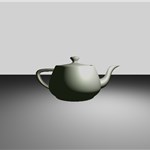 |
Rasterization-Only Foundation - Sets up a modern Vulkan 1.4 rasterization pipeline (no ray tracing yet) - Loads and displays glTF objects using vertex and fragment shaders - Demonstrates use of Shader Objects and Push Descriptors for flexible resource binding - Establishes the application and rendering framework that all ray tracing samples will build upon - Provides a clean, minimal starting point for transitioning to ray tracing in later steps |
02 Basic (Direct Vulkan) |
Basic Ray Tracing (Direct Vulkan) - Transitions from rasterization to a minimal ray tracing pipeline using Vulkan 1.4. - Sets up acceleration structures (BLAS/TLAS) for the loaded glTF scene. - Implements a ray generation shader, closest hit shader, and miss shader. - Renders the scene using ray tracing: primary rays are cast from the camera, and the closest intersection is shaded. - Introduces a simple material system for basic surface color and lighting. - Demonstrates how to bind acceleration structures and shader tables. - Uses direct Vulkan calls for educational purposes - shows complete implementation without helper libraries. - Provides a clear, minimal foundation for all subsequent ray tracing features. |
| 02 Basic (nvvk helpers) |
Basic Ray Tracing (Helper Libraries) - Same functionality as 02_basic but uses nvpro-core2 helper libraries for simplified development. - Uses nvvk::AccelerationStructureHelper for automatic scratch buffer management and batch building.- Uses nvvk::SBTGenerator for automatic shader binding table creation and alignment handling.- Production-ready approach with reduced code complexity and better performance. - Used as foundation for all subsequent tutorials in the series (03_any_hit, 04_jitter_camera, etc.). - Demonstrates the recommended approach for real-world ray tracing applications. |
03 Any Hit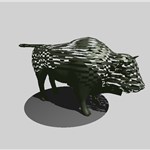 |
Any-Hit Shaders and Transparency - Introduces the any-hit shader stage to the ray tracing pipeline. - Demonstrates how any-hit shaders can be used for: - Transparency: Ignoring intersections to create cutouts or alpha-tested materials. - Alpha Testing: Discarding hits based on texture alpha values. - Custom Intersection Logic: Procedural cutouts and complex intersection behavior. - Implements a circular cutout in a plane using the any-hit shader and a user-adjustable radius. - Adds a UI slider to control the cutout radius in real time. - Shows how to attach the any-hit shader to the hit group in the pipeline. - Explains the use of IgnoreHit() in HLSL to skip intersections. |
04 Jitter Camera |
Camera Jitter and Anti-Aliasing - Introduces camera jitter to implement temporal anti-aliasing (TAA) in ray tracing. - Offsets the camera's projection matrix each frame using a sub-pixel jitter pattern (e.g., Halton sequence). - Demonstrates how jittered camera rays reduce aliasing and improve image quality over multiple frames. - Accumulates frames in a history buffer to blend results and achieve smooth anti-aliased output. - Adds a UI toggle to enable/disable jitter and control the accumulation reset. - Explains how to update the camera and accumulation logic in both the application and shaders. |
05 Shadow Miss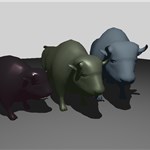 |
Shadow Miss Shader and Efficient Shadow Rays - Introduces a dedicated miss shader for shadow rays, separate from the main miss shader. - Demonstrates why using the same miss shader for both primary and shadow rays is inefficient: - Shadow rays only need to know if they hit something (occlusion), not full color/lighting. - The main miss shader may perform expensive sky/lighting calculations unnecessary for shadows. - Implements a minimal payload ( ShadowPayload) for shadow rays, reducing memory and register usage.- Shows how to set up the ray tracing pipeline with multiple miss shader groups: - Group 0: Main miss shader for primary rays. - Group 1: Lightweight miss shader for shadow rays. - Updates the shadow tracing code to use the new miss shader group and minimal payload. - Results in improved performance, especially in scenes with many shadow rays. |
06 Reflection 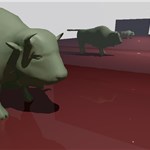 |
Reflections with Ray Tracing - Introduces reflection rays to simulate mirror-like surfaces using ray tracing. - Demonstrates how to trace secondary rays from hit points to compute reflections. - Adds a new closest hit shader that spawns reflection rays and blends their results with the surface color. - Shows how to limit reflection recursion depth for performance and to avoid infinite loops. - Implements a simple material system to control reflectivity per object. - Updates the shader binding table and descriptor sets to support reflection rays. - Explains how to accumulate and denoise reflections for improved visual quality. |
07 Multi Closest Hit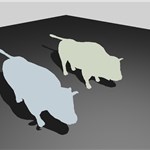 |
Multiple Closest Hit Shaders - Introduces multiple closest hit shaders to the ray tracing pipeline. - Demonstrates how different objects can use different closest hit shaders: - Default shader: Standard PBR lighting for the plane. - Second shader: First wuson instance with shader record data for color. - Third shader: Second wuson instance with shader record data for color. - Implements shader record data to pass instance-specific information through the Shader Binding Table (SBT). - Shows how to set up multiple hit groups in the ray tracing pipeline. - Adds a UI to dynamically change the colors of the wuson instances in real-time. - Explains the benefits of using multiple closest hit shaders for performance and flexibility. |
08 Intersection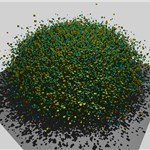 |
Intersection Shaders for Implicit Primitives - Demonstrates the use of intersection shaders to render implicit primitives (spheres and cubes) alongside traditional triangle geometry. - Shows how to define custom geometry (spheres/cubes) in the shader and intersect rays with them at runtime. - Implements a buffer of 2,000,000 implicit objects, alternating between spheres and cubes, each with different materials. - Explains how to: - Define implicit object structures and types in the shader interface. - Build and upload buffers for implicit objects and their AABBs. - Register custom intersection shaders in the ray tracing pipeline. - Use a single closest hit shader for all implicit objects, with logic to distinguish between spheres and cubes. - Alternate materials and colors procedurally for visual variety. - Illustrates how to combine triangle and procedural geometry in the same acceleration structure and render pass. |
09 Motion Blur 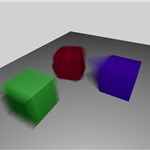 |
Advanced Motion Blur with Ray Tracing - Demonstrates three types of motion blur using the VK_NV_ray_tracing_motion_blur extension:- Matrix Motion: Object transformation interpolation (translation/rotation) using motion matrices. - SRT Motion: Scale-Rotate-Translate transformation with separate motion data structures. - Vertex Motion: Morphing geometry where vertex positions interpolate between T0 and T1 states. - Implements temporal ray tracing with varying ray time parameters for smooth motion blur effects. - Features multi-sample accumulation with user-controllable sample count for motion blur quality. - Uses low-level acceleration structure building with motion-enabled BLAS and TLAS construction. - Includes random time generation in shaders for consistent temporal sampling across primary and shadow rays. - Demonstrates advanced pipeline setup with motion blur flags and specialized instance data structures. |
10 Position Fetch 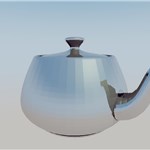 |
Position fetch extension Demonstrates the use of VK_KHR_ray_tracing_position_fetch extension to retrieve vertex positions directly from the acceleration structure during ray traversal. This reduces memory usage by eliminating the need for additional vertex buffers during rendering.Key Features: - Direct position access using HitTriangleVertexPosition()- Memory-efficient rendering without separate vertex buffers - Geometric normal calculation from fetched positions - BLAS configuration with VK_BUILD_ACCELERATION_STRUCTURE_ALLOW_DATA_ACCESS_KHRExtension Requirements: - VK_KHR_ray_tracing_position_fetch- Hardware support (RTX 20 series and newer) |
11 Shader Execution Reorder 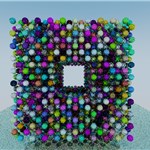 |
Shader Execution Reorder (SER) for Performance Optimization - Introduces Shader Execution Reorder (SER) using the VK_NV_ray_tracing_invocation_reorder extension to reduce execution divergence in ray tracing shaders.- Implements path tracing (first in the series) with multiple bounces, Russian roulette, and physically-based lighting. - Uses specialization constants (first in the series) for runtime toggling of SER without pipeline recreation. - Features a hollow box of spheres scene with real-time heatmap visualization showing execution divergence. - Demonstrates SER benefits through artificial divergence and performance comparison controls. |
12 Infinite Plane  |
Infinite Ground Plane with Interactive Toggle - Shows how to add an infinite plane to your ray tracing scene using a custom intersection function. - Implements a UI toggle to enable/disable the infinite plane in real time. - Demonstrates proper hit state management and how to distinguish plane hits from scene geometry. - Explains the importance of checking the plane intersection after TraceRay() for correct compositing.- Includes adjustable plane color, height, and material parameters via the UI. - Serves as a foundation for procedural environment effects and further extensions (multiple planes, procedural textures, etc.). |
13 Callable Shader 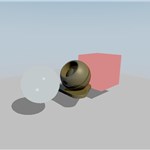 |
Callable Shaders for Modular Material Systems - Introduces callable shaders to create modular, reusable shader functions that can be invoked from other ray tracing shaders. - Demonstrates a material system with four different materials (diffuse, plastic, glass, constant) implemented as separate callable shaders. - Implements procedural textures (noise, checker, voronoi) as callable shaders with different payload structures. - Shows how to avoid expensive branching by using instanceCustomIndex in the TLAS for material selection.- Features dynamic material assignment with UI controls that trigger TLAS recreation when materials change. - Explains the performance trade-offs: material changes require TLAS rebuild, texture changes use push constants. - Demonstrates payload flexibility with different structures for materials vs. textures. - Includes animation support for procedural textures with time-based effects. |
14 Animation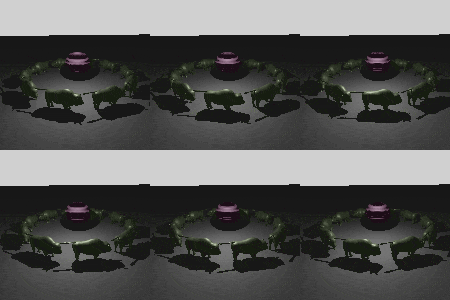 |
Real-Time Animation in Ray Tracing - Demonstrates two types of animation in ray tracing environments: - Instance Animation: Multiple Wuson models rotating in a circle using transformation matrix updates - Geometry Animation: Sphere deformation using compute shaders with radial wave effects - Implements acceleration structure updates with VK_BUILD_ACCELERATION_STRUCTURE_ALLOW_UPDATE_BIT_KHR:- TLAS updates for instance animation (transformation changes) - BLAS updates for geometry animation (vertex modifications) - Features compute shader vertex animation that modifies vertex positions and normals in-place on the GPU - Uses sine wave mathematics for realistic wave deformation with proper normal recalculation - Includes real-time UI controls for toggling animations and adjusting speed - Demonstrates proper synchronization between compute operations and ray tracing with memory barriers - Shows efficient update strategies using cmdUpdateAccelerationStructure instead of full rebuilds |
15 Micro-Maps Opacity 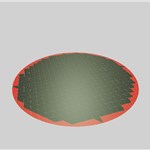 |
Opacity Micro-Maps in Ray Tracing - Demonstrates Opacity Micro-Maps implementation in Vulkan for efficient ray tracing - Implements selective AnyHit shader invocation based on opacity state - Features radius-based opacity testing with real-time UI controls - Uses VkMicromapEXT structures for triangle subdivision and opacity encoding - Supports 2-state and 4-state micro-map formats with dynamic switching - Includes 6x6 triangle plane geometry for micro-maps demonstration - Provides real-time radius adjustment without acceleration structure rebuilds - Shows hardware-accelerated opacity testing with dedicated micro-map support |
16 Ray Query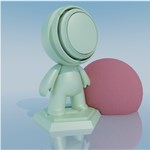 |
Ray Queries - Inline Ray Tracing in Compute Shaders - Demonstrates Vulkan's VK_KHR_ray_query extension for inline ray tracing directly in compute shaders- Replaces the traditional ray tracing pipeline with a compute shader using RayQuery<> objects- All ray intersection and shading logic is handled procedurally in a single shader - Supports Monte Carlo path tracing, temporal accumulation, and physically-based materials |
17 Ray Query Screenspace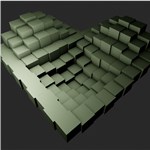 |
Screen-Space Ray Queries - Uses compute shader ray queries for effects like ambient occlusion - Integrates ray tracing with rasterization via G-buffer - Real-time, single-ray effects with adjustable AO - Efficient: processes only visible pixels |
18 Swept Spheres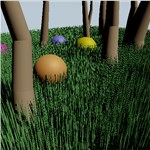 |
Linear Swept Spheres and Sphere Primitives (NVIDIA ONLY) - Demonstrates the VK_NV_ray_tracing_linear_swept_spheres extension for efficient strand-based geometry- Introduces two new geometric primitives: Linear Swept Spheres (LSS) and Spheres - Implements three rendering modes: - Grass field: Dense grass using LIST indexing mode (independent strands) - Standalone spheres: Decorative spheres with varying radii - Multi-segment chains: Connected chains using SUCCESSIVE indexing mode - Perfect for rendering grass, hair, fur, and other thin cylindrical objects |
19 Ray Differentials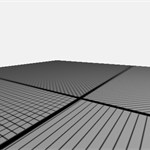 |
Texture LOD via Ray Cones - Replaces missing rasterizer ddx/ddy in ray tracing by carrying a per-ray cone footprint (width, spreadAngle) in the payload- Computes proper trilinear LOD at every hit with surface-slant correction (1/|N·V|), eliminating moire on grazing surfaces - Walks through three small helpers: pixel angle, world footprint, triangle texel density - Covers the required Vulkan setup: full mip chain via nvvk::cmdGenerateMipmaps, and sampler maxLod = VK_LOD_CLAMP_NONE- Bounce-ready: the cone state propagates through secondary rays with a single assignment (see Going Further in the README) |
20 Wireframe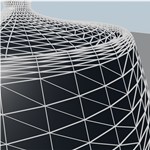 |
Wireframe via Ray Differentials - Renders anti-aliased wireframes in a single ray-tracing pass using helpers in shaders/wireframe_helpers.h.slang- Reuses some of the ray-differentials concept from sample 19 - Combines computeDifferentials + computeDerivative + processWireframe in the closest hit; the wireframe is blended over the PBR-shaded surface. |
21 Clusters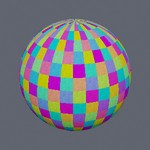 |
Cluster Acceleration Structures (CLAS) (NVIDIA ONLY) - Introduces the VK_NV_cluster_acceleration_structure extension and the TLAS -> cluster BLAS -> CLAS -> triangles traversal- Builds all clusters of all levels into CLAS once ( BUILD_TRIANGLE_CLUSTER), then a cheap cluster BLAS per level (BUILD_CLUSTERS_BOTTOM_LEVEL) via IMPLICIT_DESTINATIONS- Drives a simple camera-distance level of detail by refitting a single-instance TLAS (8 -> 32 -> 128 -> 512 clusters) - Reads the per-hit ClusterIDNV built-in to colorize the cluster decomposition |
22 Partition TLAS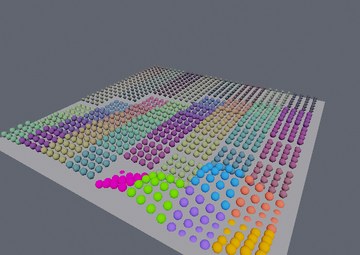 |
Partitioned TLAS (PTLAS) (NVIDIA ONLY) - Introduces the VK_NV_partitioned_acceleration_structure extension: instances grouped into partitions (plus a global partition), referenced by device address (converted to an acceleration structure in the shader)- Builds the PTLAS once ( WRITE_INSTANCE), then rebuilds it in place (src == dst) each frame with a small delta op list; everything not re-submitted is retained for free- Keys all three ops to camera distance — WRITE_INSTANCE per instance + high LOD NEAR, WRITE_PARTITION_TRANSLATION per partition + medium LOD in the MID ring, retained + coarse LOD FAR — with UPDATE_INSTANCE swapping an instance's BLAS (its LOD) as it crosses a zone boundary- Per-frame work tracks what changed, not the scene size; colors each instance by its partition |
Coming Soon
xx_ray_indirectxx_particles_large_accelxx_volumetric_rendering